Creative Uses for a Text Repeater Tool
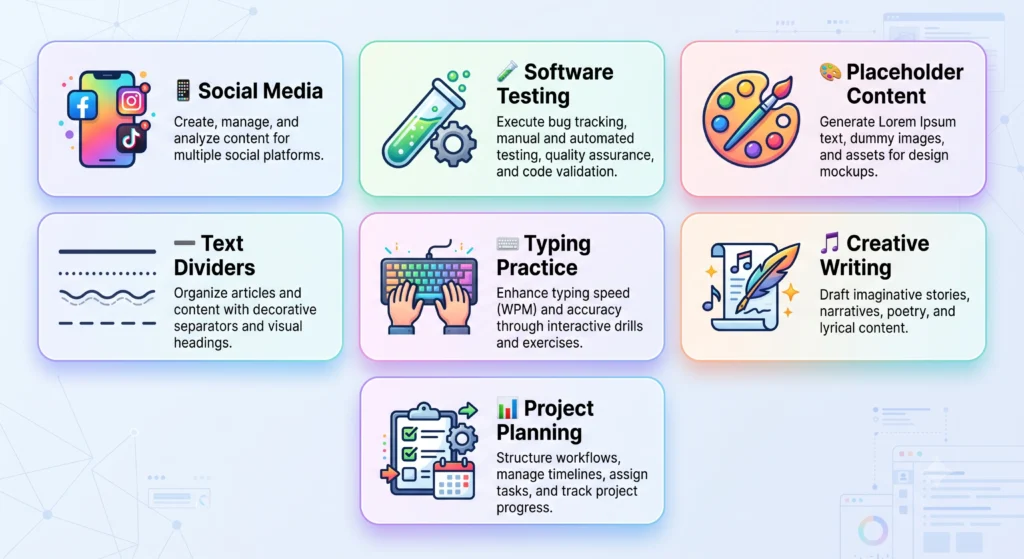
At first glance, a text repeater seems like one of the simplest tools imaginable you give it some text, tell it how many times to repeat it, and it hands back the result. There’s no complex formula, no multiple calculation modes, nothing that looks particularly sophisticated. And yet, this small utility quietly solves real problems across an unusually wide range of fields, from decorating a social media bio to stress-testing a piece of software.
This guide walks through the genuinely useful, creative ways people put a text repeater to work, how to choose the right separator for each situation, and just as importantly where text repetition crosses a line into something that can actively hurt you, particularly when it comes to SEO and search engine spam policies.
What Is a Text Repeater and How Does It Work?
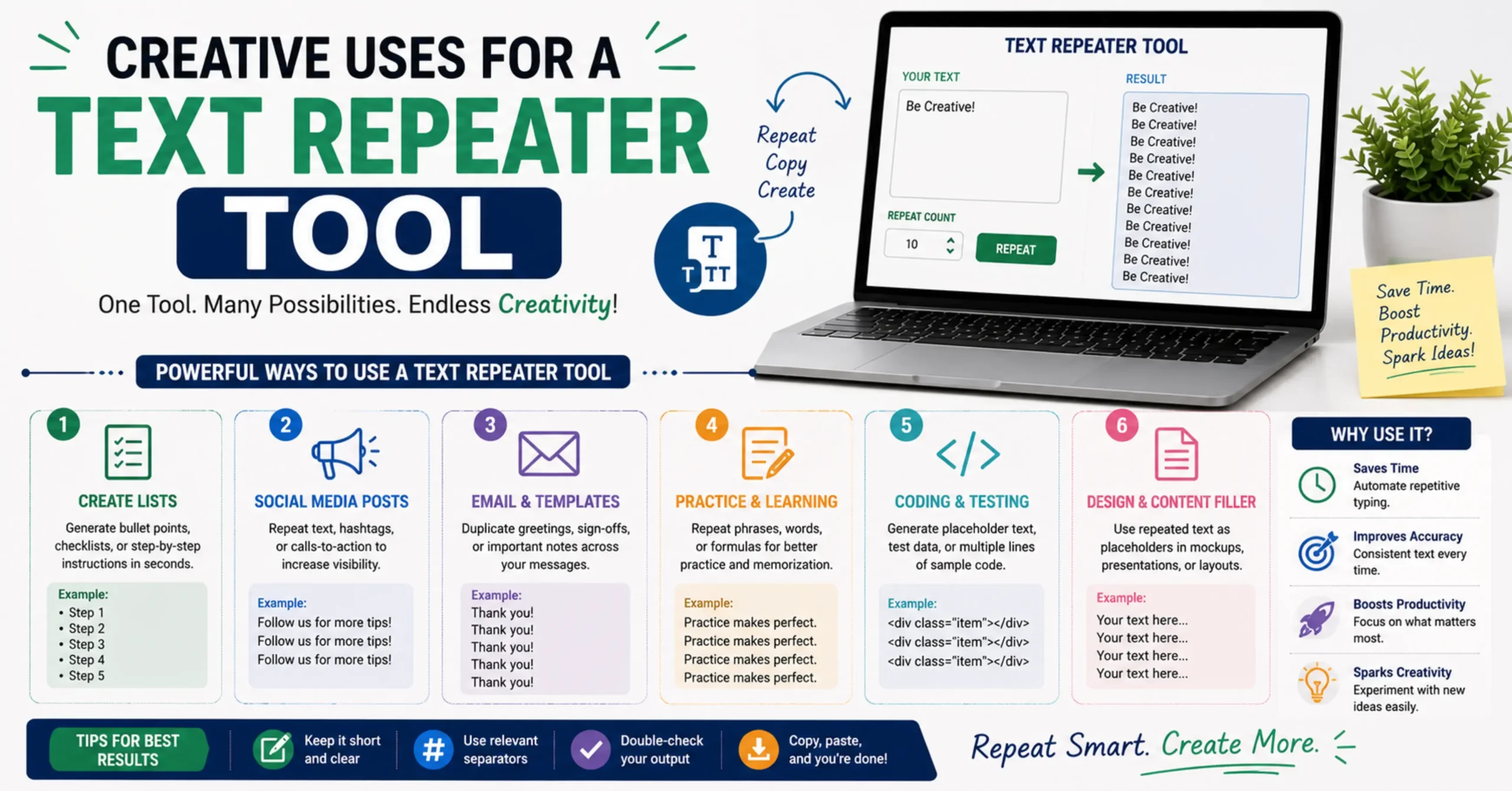
A text repeater takes a piece of input text and outputs it a specified number of times, joined together by a separator of your choosing a new line, a space, a comma, or nothing at all. The core mechanics are simple: input text, a repeat count, and a separator combine to produce the final output.
What makes this deceptively simple tool genuinely useful is exactly that flexibility. The same basic mechanism can generate a decorative row of emojis for a social post, a block of test data for a developer, or a clean row of dashes to divide sections in a plain text document the only thing that changes between these wildly different use cases is which separator and repeat count you choose.
Creative and Practical Uses for Text Repetition
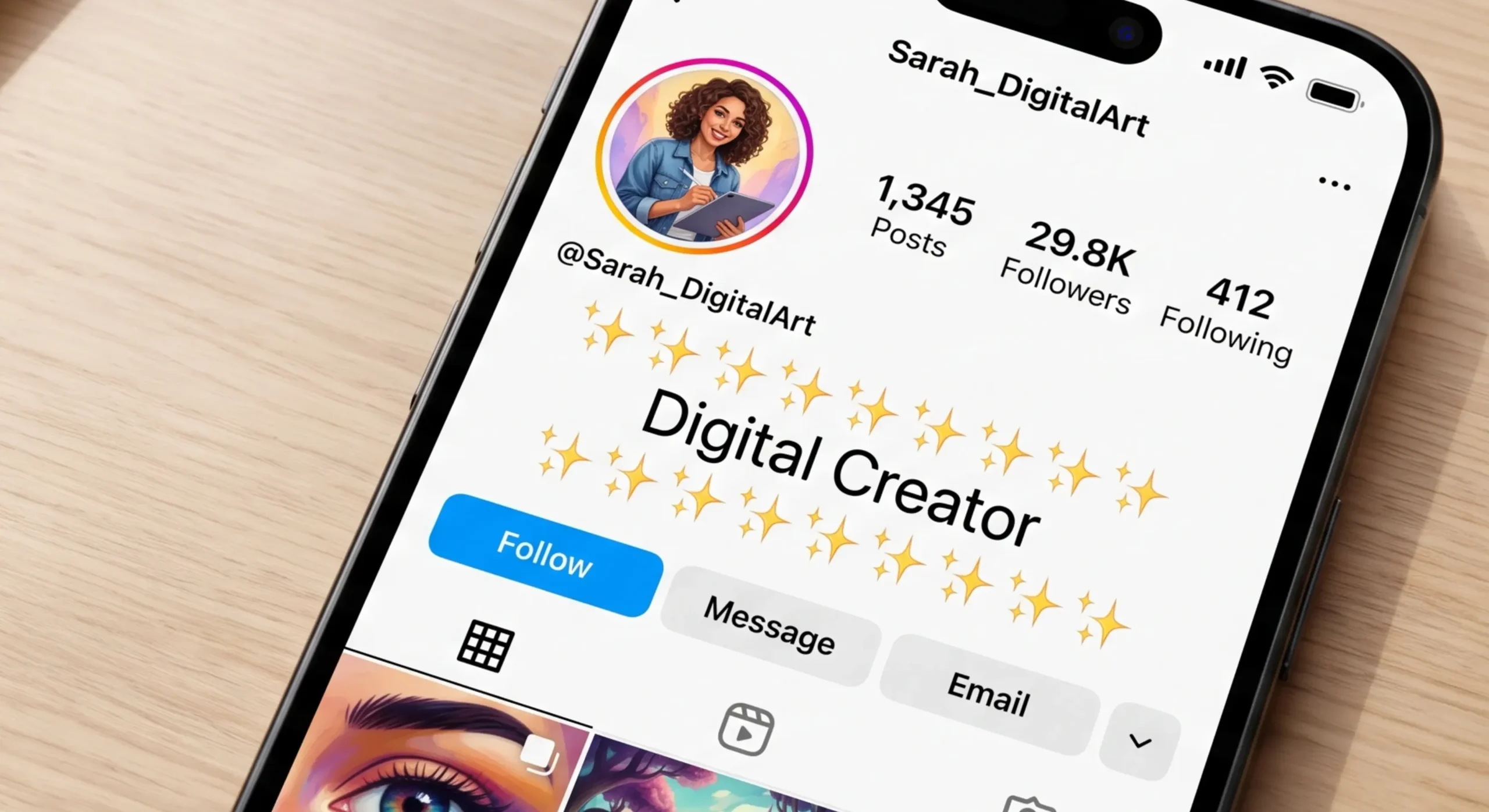
Social Media Decoration and Visual Emphasis
Most social platforms don’t support rich text formatting like bold headers or custom dividers, which is exactly why repeated characters and emojis have become such a common workaround. A row of repeated stars, dashes, or a chosen emoji creates a visual divider between sections of a bio, a comment, or a caption, giving structure to a platform that otherwise renders everything as flat, unformatted text. Because the formatting options are so limited on most platforms, repetition becomes one of the only reliable ways to add visual rhythm or emphasis without relying on an external image.
Software Testing and Stress-Testing Inputs
Developers and QA testers regularly need to know how an application behaves under unusual conditions what happens when a form field receives a 10,000-character string instead of a normal name or comment? Does a database column truncate gracefully, or does it throw an error? Does a user interface break, overflow, or scroll correctly when fed far more text than it was designed for? Generating that kind of test data manually is tedious, but a text repeater produces it instantly, letting a tester paste in a realistic stress-test string in seconds rather than writing a one-off script just to generate dummy data.
Generating Placeholder or Dummy Content
Designers and developers building a new page layout often need filler content to see how a design handles varying amounts of text before real content is ready. While Lorem Ipsum is the traditional choice, there are situations where testing with actual readable words, specific character patterns, or a controlled repeated phrase gives a clearer picture of how text will wrap, overflow, or interact with a container at different lengths a text repeater offers a fast, flexible alternative for exactly this kind of layout testing.
Creating Text Dividers and Section Breaks
In plain text documents, emails, code comments, or README files where markdown or rich formatting isn’t available, a row of repeated dashes or equals signs is often the only practical way to visually separate sections. A line of repeated characters used as a header underline or section break is a small detail, but it makes plain text documents noticeably easier to scan and navigate.
Typing Practice and Repetition Drills
Repeating a specific word, phrase, or letter combination many times creates practical drill material for typing speed practice, handwriting exercises, or language learning repetition. Deliberate, repeated practice of a specific pattern is a well-established technique in both typing pedagogy and vocabulary acquisition, and generating that repeated practice text manually retyping the same phrase dozens of times just to create a worksheet defeats the purpose of using a tool to save time in the first place.
Drafting Repeated Structures in Creative Writing
Song lyrics, poetry, and chants frequently rely on a deliberately repeated line or phrase a chorus, a refrain, a recurring hook. When drafting original creative writing built around this kind of structure, a text repeater can quickly generate the repeated skeleton of a chorus or refrain, giving a writer a starting structure to build variations around rather than manually retyping the same line each time it recurs in a draft.
How to Choose the Right Separator for Your Use Case
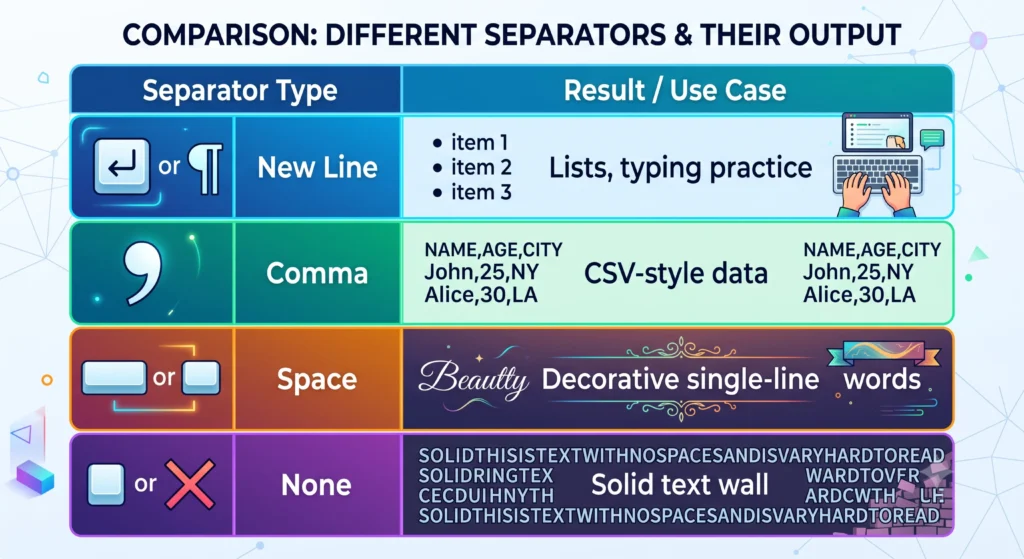
The separator you choose changes the entire character of the output, so it’s worth matching it deliberately to what you’re actually trying to create. A new line separator is the right choice for anything list-like typing practice material, line-based test data, or content meant to be read one entry at a time. A comma separator works well when generating simple list-style or CSV-style test data that needs to mimic a real data format. A space separator suits continuous, single-line decorative text, like a repeated emoji border meant to sit inline within a bio or caption. No separator at all is the right choice when you want a solid, unbroken “wall” of repeated characters useful for maximum-length stress testing or certain kinds of ASCII-style visual fills. For anything that needs to mimic a specific existing data format, a custom separator like a dash or pipe character lets you match that format precisely.
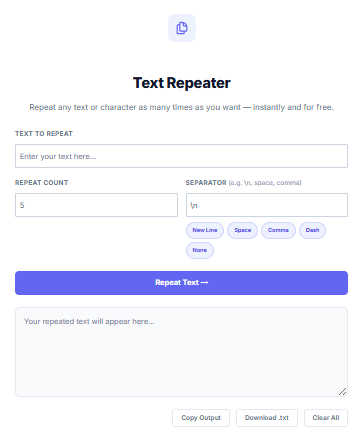
How to Use the InnovaiTools Text Repeater
- Step 1: Open the Text Repeater on InnovaiTools.
- Step 2: Type or paste the text you want to repeat into the input field.
- Step 3: Set how many times you want it repeated, up to 1,000 repetitions.
- Step 4: Choose your separator using the quick-select buttons new line, space, comma, dash, or none or type a custom separator of your own.
- Step 5: Click Repeat Text to generate your output instantly, then copy it directly or download it as a text file. If you’re preparing the result for further formatting, our Case Converter can quickly adjust the case of the output afterward, and our Word & Character Counter can confirm exactly how long the final text ended up.
When NOT to Use Text Repetition | A Word of Caution for SEO and Content
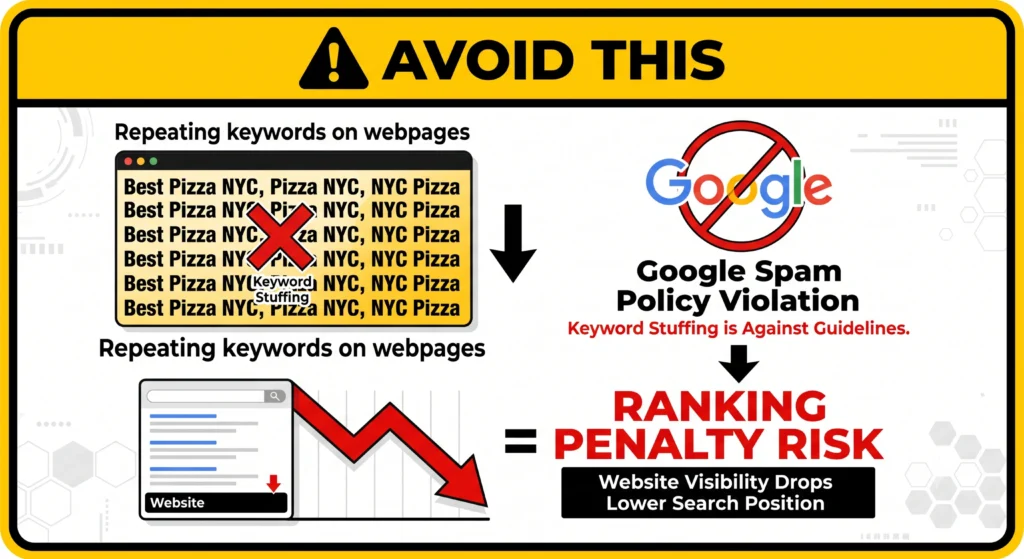
It’s worth being direct about this, since it’s an easy trap to fall into: repeating keywords or phrases across a webpage in an attempt to manipulate search rankings is a practice search engines explicitly classify as spam. Google’s own spam policies specifically call out keyword stuffing repeating words or phrases unnaturally in an attempt to rank higher as behavior that can trigger a ranking penalty or, in more severe cases, a manual action against the site. What might look like a shortcut to more keyword relevance almost always backfires, since search engines are specifically designed to detect and penalize exactly this pattern.
The same caution applies to using repeated content across multiple pages to artificially inflate the appearance of more content search engines generally recognize duplicate or near-duplicate content and simply won’t reward it the way genuinely original content is rewarded, regardless of how it’s dressed up. The legitimate uses covered throughout this guide decoration, testing, practice, drafting are all fundamentally different from using repetition to try to game a search algorithm, and it’s worth keeping that distinction firmly in mind.
Common Mistakes When Using a Text Repeater
- Mistake 1: Setting an extremely high repeat count on long input text, which can produce an unwieldy output that’s difficult to work with or copy cleanly.
- Mistake 2: Choosing a separator that doesn’t match the intended use, such as using commas when a new-line-separated list was actually needed for the destination format.
- Mistake 3: Using repeated keyword text directly on a live webpage in an attempt to influence search rankings, which risks a search engine penalty rather than any ranking benefit.
- Mistake 4: Generating a very long output and closing the browser tab before copying or downloading it, losing the result and needing to regenerate it from scratch.
Key Terms Related to Text Repetition
- Separator: The character or sequence a comma, space, new line, or custom symbol used to join each repetition of the text together in the output.
- Keyword Stuffing: The practice of unnaturally repeating words or phrases on a webpage in an attempt to manipulate search rankings, explicitly classified as spam under most search engines’ guidelines.
- Stress Testing: A software testing technique that deliberately pushes a system with extreme inputs, such as unusually long text strings, to observe how it behaves under conditions beyond normal use.
- ASCII Art: Visual designs or dividers created entirely from repeated text characters rather than images, commonly used in plain text environments where graphics aren’t supported.
Frequently Asked Questions About Text Repeaters
Q1: What is a text repeater used for? It’s used for a wide range of purposes including social media decoration, software stress-testing, generating placeholder content, creating plain-text dividers, and typing practice drills.
Q2: Can I repeat emojis or special characters? Yes, any character your browser supports can be repeated, including emojis and special symbols, making it useful for decorative social media content.
Q3: Is repeating text bad for SEO? Repeating keywords on a webpage to manipulate rankings is classified as spam by search engines and can result in a ranking penalty. The creative and testing uses covered in this guide are unrelated to that practice and carry no such risk.
Q4: How many times can I repeat a piece of text? Our Text Repeater supports up to 1,000 repetitions in a single operation, which comfortably covers nearly every practical use case.
Q5: What separator should I use for a decorative divider? A space or no separator generally works best for a continuous decorative line, while a new line separator suits list-style or stacked repeated content.
Q6: Can I use a text repeater for software testing? Yes, it’s a genuinely practical way to quickly generate long or unusual test strings for checking how an application or form field handles extreme input lengths.
Q7: Does repeating text count as duplicate content? Using repeated text as actual published content across a webpage can be treated as low-value or duplicate content by search engines. The tool itself is meant for testing, practice, and creative drafting rather than generating live page content.
Q8: Can I download the repeated text? Yes, once generated you can copy the result directly or download it as a text file for later use.
Q9: Is my text private when using an online repeater? With our Text Repeater, yes — all processing happens locally in your browser, and nothing you type is sent to or stored on any server.
Q10: Is the InnovaiTools Text Repeater free? Yes, completely free with no sign-up required, supporting custom separators and up to 1,000 repetitions per use.
Final Thoughts
A text repeater is one of those tools that looks almost too simple to write a guide about, until you actually map out how many genuinely different fields rely on it social media formatting, software testing, design mockups, typing practice, and creative drafting all pull from the exact same basic mechanism. The real skill isn’t in using the tool itself, which takes seconds to learn, but in matching the right separator and repeat count to whatever you’re actually trying to build, and knowing where legitimate repetition ends and search engine spam begins.
For fast, flexible text repetition whenever you need it, use our free Text Repeater at InnovaiTools no sign-up, full control over separators and repeat count, and your text never leaves your browser.

Arid is a web developer and computer expert who specializes in building practical utility web applications. With a strong focus on technical problem-solving and user experience, he develops efficient online calculators and writing tools designed to help students, bloggers, and professionals streamline their daily tasks.