Essential Free Writing Tools for Bloggers

Writing the post itself is only one part of running a blog. Before a word gets typed, there’s an idea to capture before it disappears. During drafting, there’s length to track against a target. After a first draft, there’s formatting to fix, research to clean up, and a reading time label to calculate before hitting publish. Most bloggers end up cobbling together a random mix of tools for all of this, or skipping steps entirely because switching between five different sites feels like too much friction.
This roundup covers the free tools that support an actual blogging workflow from idea to publish organized by the stage of the process where each one fits, rather than as a random list. Every tool here runs directly in your browser, requires no sign-up, and costs nothing, which matters in the early stages of a blog before ad revenue or sponsorships have kicked in.
Why Bloggers Need More Than Just a Word Processor
A word processor or your CMS’s editor handles the core act of writing, but the actual workflow around a blog post touches several other small tasks that a plain editor doesn’t cover well: capturing a quick idea before it’s lost, checking your length against an SEO target as you write rather than only at the end, cleaning up a research or keyword list that’s accumulated duplicates, and calculating an accurate reading time before you publish. None of these tasks are individually difficult, but having a dedicated, instant tool for each removes the friction that causes most bloggers to skip them entirely.
Drafting and Note-Taking
Online Notepad
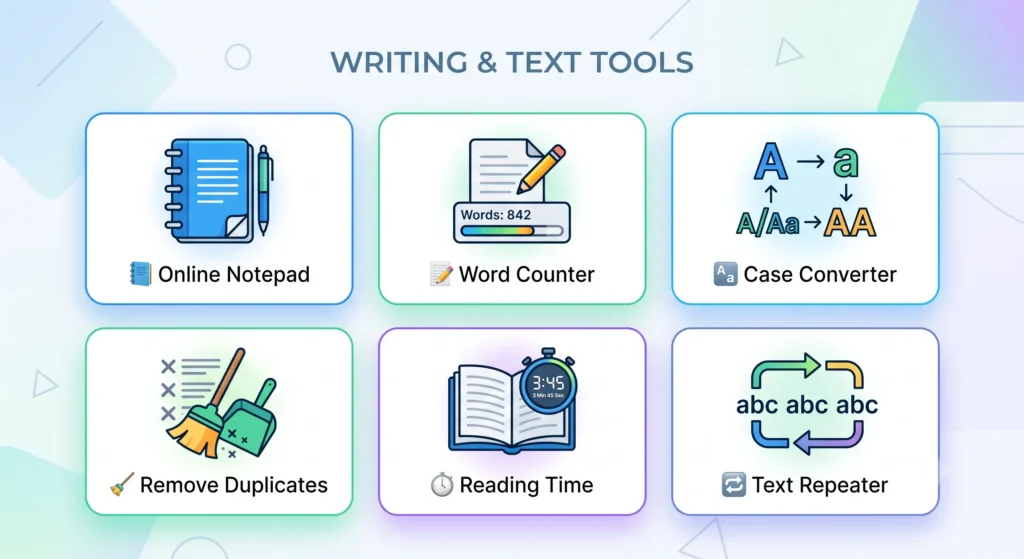
Ideas rarely arrive at a convenient time a headline that comes to mind away from your desk, a quote worth saving from something you’re reading, a rough outline you want down before opening your main editor. Our Online Notepad gives you a fast, auto-saving place to capture any of this instantly, with no sign-up required and nothing lost if you close the tab. For a deeper look at note-taking methods that make captured ideas genuinely useful later, our guide on taking notes online covers proven approaches like the Cornell method and the Zettelkasten system.
Writing and Editing Your Draft
Word & Character Counter
Checking your length against an SEO target or a platform’s specific limit is far more useful done continuously while writing than as an afterthought once you’re done. Our Word & Character Counter gives you a live count of words, characters, and sentences as you type or paste your draft, and our word count guide breaks down standard length benchmarks across different content types, from blog posts to social captions.
Case Converter
Headers typed in the wrong case, or a title that needs proper formatting before publishing, are a quick fix with the right tool rather than a manual retype. Our Case Converter instantly switches any text between UPPERCASE, lowercase, Title Case, and more, and our text case guide explains the actual rules behind proper Title Case which is genuinely more specific than most people assume.
Cleaning Up Research and Data
Remove Duplicate Lines
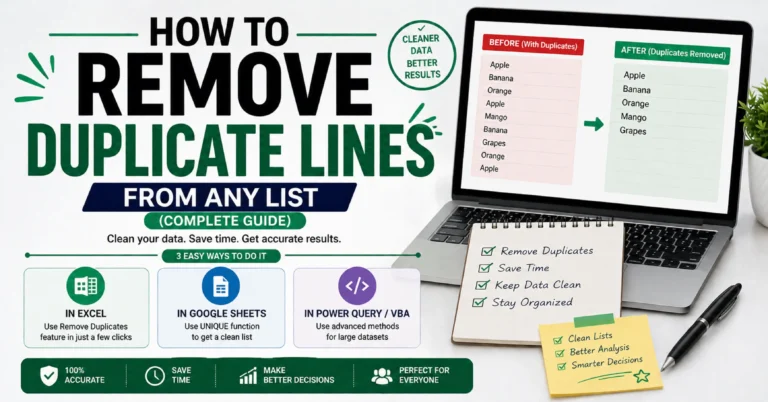
Keyword research, reference lists, and any notes compiled across multiple sessions tend to accumulate duplicate entries over time. Our Remove Duplicate Lines tool cleans up any list instantly, with options for case-insensitive matching and whitespace trimming, and our full guide covers the command-line and spreadsheet alternatives too, for anyone who wants to understand the mechanics behind it.
Preparing for Publication
Reading Time Calculator
That familiar “X min read” label isn’t just decorative it genuinely affects whether a reader commits to an article, particularly for content in the three-to-ten-minute range. Our Reading Time Calculator gives you an accurate estimate instantly, and our full guide covers where the label actually came from and why reading speed varies so much by content type.
Social Media and Promotional Content
Text Repeater
Once a post is live, promoting it on social media often calls for simple visual dividers or repeated emphasis that most platforms don’t support through native formatting. Our Text Repeater generates exactly this kind of decorative text instantly, and our guide covers both the creative uses and just as importantly where repeated text crosses into search engine spam territory, which is worth understanding if you’re also thinking about the SEO side of your content.
Bonus: Tools for Tracking Your Blog’s Revenue
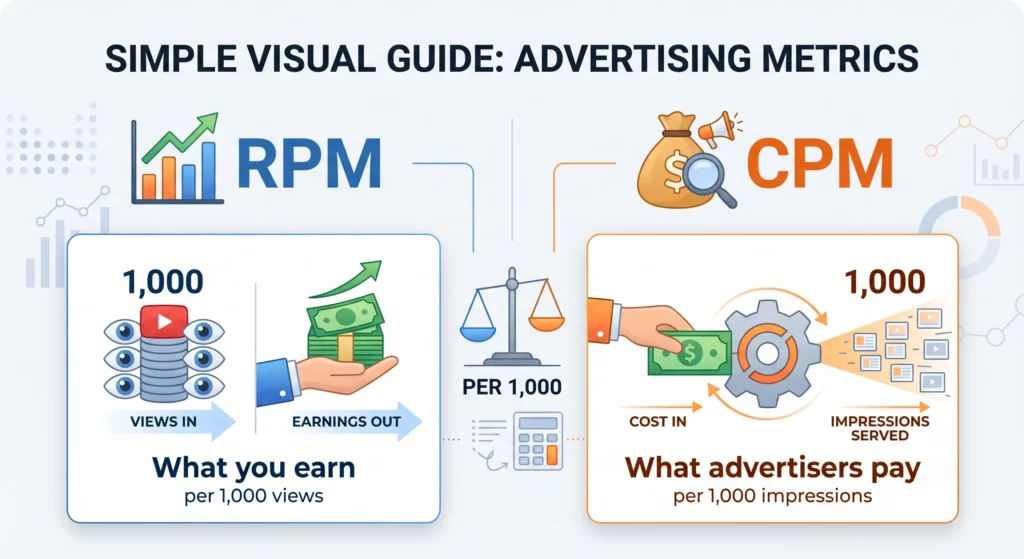
Once a blog starts generating ad revenue, two additional metrics become genuinely important to understand: RPM, which measures what you actually earn per 1,000 impressions, and CPM, which measures what advertisers pay per 1,000 impressions on the other side of that same transaction. Our RPM Calculator and CPM Calculator handle the math instantly, and our companion guides on RPM in AdSense and CPM in digital advertising cover what these numbers actually mean for a growing blog’s monetization strategy.
How These Tools Fit Into a Typical Blogging Workflow
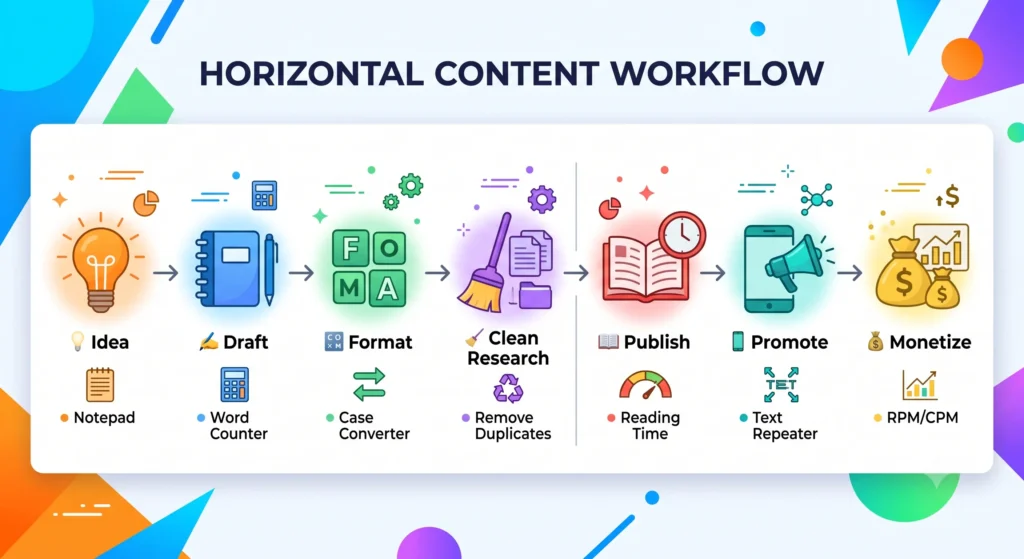
A blog post’s actual lifecycle touches several of these tools in sequence without most bloggers ever mapping it out explicitly. An idea strikes and gets captured in the Online Notepad before it’s forgotten. Drafting happens in your main editor, with the Word & Character Counter open periodically to check progress against a target length. Once a draft is solid, headers get run through the Case Converter for consistent formatting, and any research or keyword lists get cleaned up with Remove Duplicate Lines. Just before publishing, the Reading Time Calculator gives you an accurate label to include. After the post goes live, the Text Repeater supports quick social media promotion. And once your blog is earning, the RPM and CPM Calculators become part of your regular revenue tracking a workflow that touches nearly every stage of running a blog, using tools that cost nothing at any point along the way.
Why Free, Browser-Based Tools Make Sense for Bloggers
Early-stage blogging rarely comes with much budget for paid software, which is exactly why every tool in this roundup is completely free with no premium tier or usage limit hiding behind it. Because everything runs directly in your browser rather than requiring an install, these tools work identically whether you’re writing at your main desk or capturing an idea on a different device entirely. None of them require creating an account, which removes friction and keeps your unpublished drafts and ideas from being stored anywhere beyond your own device genuinely useful when you’re working with material that isn’t ready to be public yet.
Frequently Asked Questions
Q1: What free tools do bloggers actually need? At minimum, a word counter for tracking length and a note-taking tool for capturing ideas cover the most frequent daily needs, with a case converter and reading time calculator becoming useful once you’re actively preparing posts for publication.
Q2: How can I check my blog post length before publishing? A word and character counter gives you a live count as you write or paste your draft, letting you check against an SEO or platform-specific target before hitting publish.
Q3: Is there a free tool to fix inconsistent capitalization in headers? Yes, a case converter instantly switches text between UPPERCASE, lowercase, Title Case, and other formats, fixing inconsistent capitalization in seconds rather than a manual retype.
Q4: How do I clean up a duplicated keyword research list? A duplicate line remover tool cleans up any list instantly, with options for case-insensitive matching so near-duplicates like “SEO” and “seo” are also caught.
Q5: Should I add a reading time label to my blog posts? Generally yes research suggests it can improve reader engagement, particularly for content in the three-to-ten-minute reading range, by helping readers commit to starting an article.
Q6: What is the best way to quickly capture blog post ideas? An auto-saving online notepad lets you jot down an idea instantly without worrying about losing it, which is especially useful when ideas strike away from your main writing setup.
Q7: Can I use these tools for social media content too? Yes, several of them particularly the word counter, case converter, and text repeater work just as well for social captions and promotional posts as they do for full blog articles.
Q8: Do I need different tools once my blog starts earning ad revenue? An RPM calculator and CPM calculator become genuinely useful once monetization begins, helping you understand your actual earnings per impression and how they compare to what advertisers are paying.
Q9: Are these writing tools private and safe for unpublished drafts? With InnovaiTools specifically, yes all processing happens locally in your browser, and nothing you type or paste is sent to or stored on any server.
Q10: Are all InnovaiTools writing tools really free? Yes, every tool covered in this roundup is completely free with no sign-up, no premium tier, and no usage limits.
Final Thoughts
None of the individual tasks covered in this roundup are complicated on their own, but having a dedicated, instant tool for each one rather than skipping a step or hunting for a random online tool mid-draft genuinely smooths out the actual day-to-day process of running a blog. Bookmark whichever combination matches where you are in your blogging journey right now, and come back to the rest as your workflow grows to need them.
Every tool mentioned here is available free on InnovaiTools, with no sign-up required and full privacy since all processing happens directly in your browser.

Arid is a web developer and computer expert who specializes in building practical utility web applications. With a strong focus on technical problem-solving and user experience, he develops efficient online calculators and writing tools designed to help students, bloggers, and professionals streamline their daily tasks.