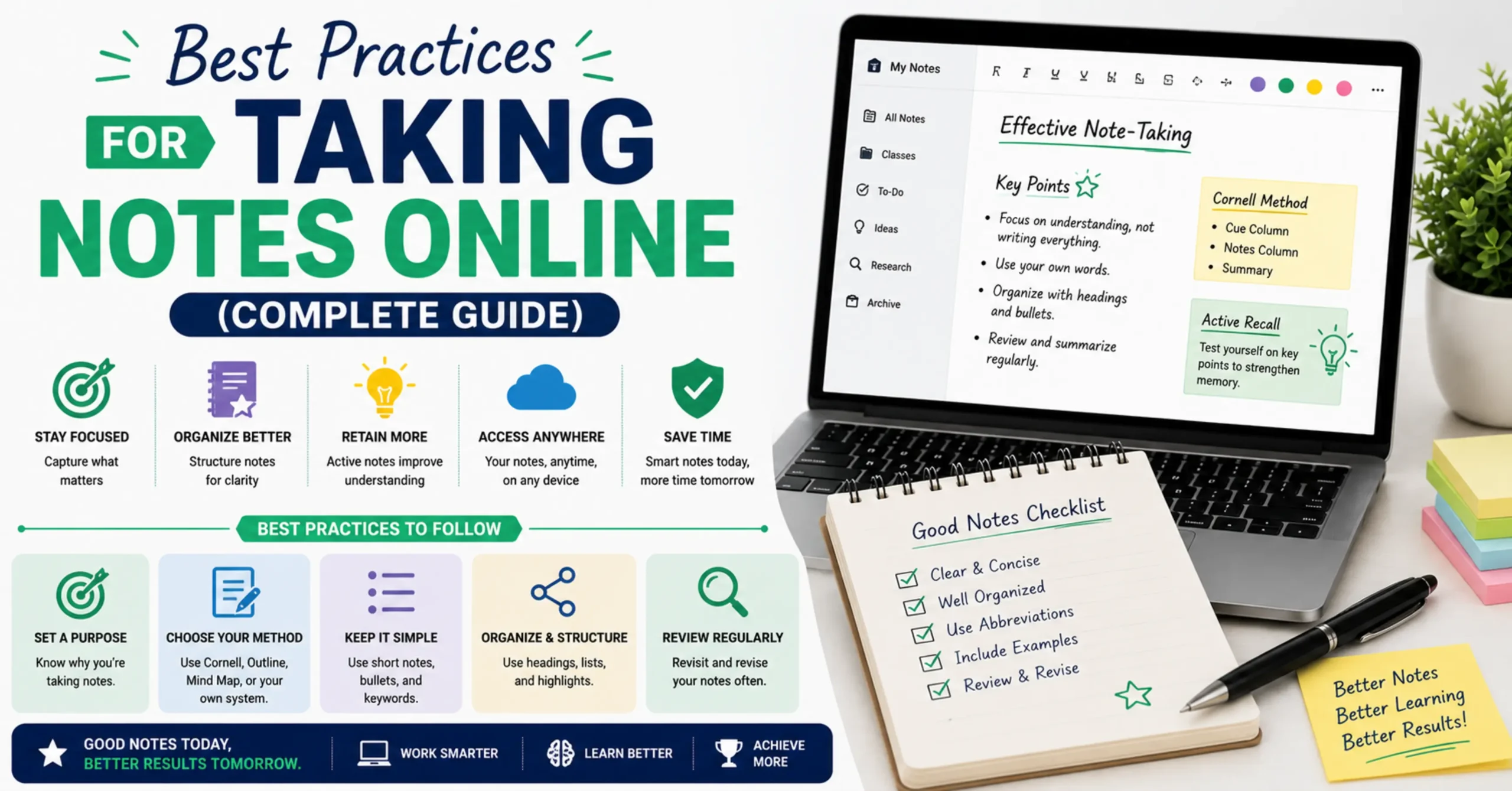
Best Practices for Taking Notes Online (Complete Guide)
Note-taking is one of those skills everyone assumes they already know how to do, simply because we’ve all been doing it since grade school. Yet the gap between someone who takes notes well and someone who just writes things down is enormous one person builds a searchable, reviewable record of their thinking, while the other ends up with pages of text they’ll probably never look at again.
The shift to digital note-taking has changed the mechanics of this skill without changing its underlying principles. This guide covers what actually makes online notes effective, what the research says about typing versus handwriting, proven note organization methods and how they translate to a digital format, and specific approaches for the three contexts where most people take notes: meetings, lectures, and research reading.
Why Online Note-Taking Has Become the Default
For most students and professionals today, digital notes have quietly replaced the notebook as the default choice, and for good reason. A digital note is searchable in seconds, something a stack of handwritten pages simply cannot offer once you’re looking for something you wrote three weeks ago. It’s also inherently backed up the moment you save or download it, immune to the coffee spill or lost notebook that has erased countless students’ semester of work. Digital notes are also trivially easy to reorganize, restructure, and share, none of which require rewriting anything by hand.
None of this means paper notes are obsolete or inferior in every respect the next section covers a genuinely important nuance in the research on this exact question. But for sheer practicality, searchability, and durability, it’s easy to see why online note-taking has become the default for most people, most of the time.
Online Notes vs Paper Notes : What the Research Actually Says
This is worth addressing directly, because there’s a commonly cited piece of research that gets oversimplified almost every time it’s mentioned. A well-known study comparing students who took lecture notes on laptops versus longhand found that laptop note-takers actually performed worse on conceptual questions afterward, despite taking notes that were often longer and more comprehensive.
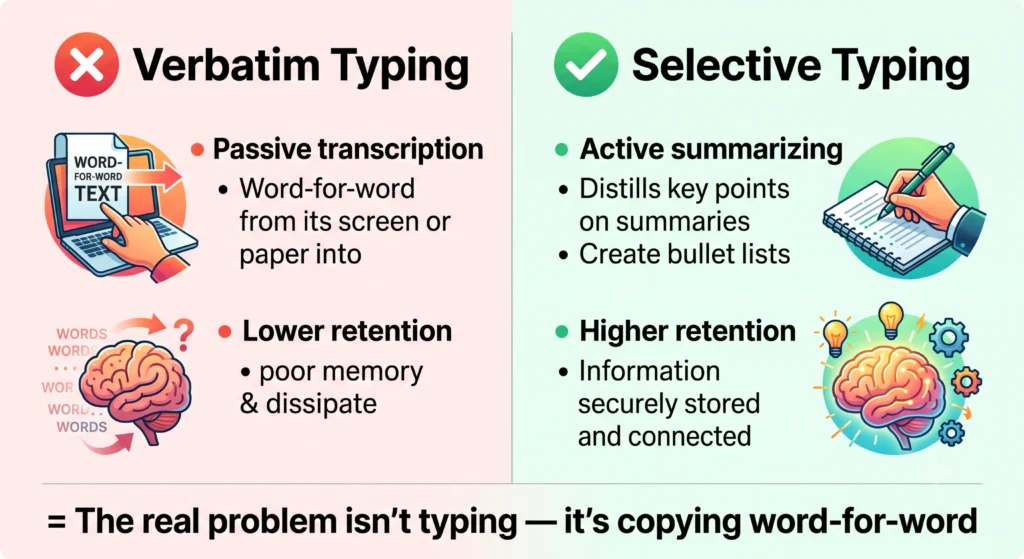
The reason isn’t that typing itself is bad for learning it’s that typing is fast enough to enable near-verbatim transcription, and verbatim transcription is a largely passive, low-effort process that bypasses the mental work that makes note-taking valuable in the first place. Handwriting is slow enough that it forces you to summarize, paraphrase, and select what actually matters as you go, and that selective processing is what builds understanding and retention. Laptop note-takers who typed everything word-for-word skipped that step entirely.
The practical takeaway isn’t “avoid digital notes” it’s “avoid transcribing verbatim, regardless of what you’re typing on.” If you take digital notes in your own words, actively summarizing and restructuring information rather than copying it down as spoken, you get much closer to the cognitive benefits associated with handwriting, while keeping every practical advantage that comes with a digital format.
Popular Note-Taking Methods and How They Translate Online
Several well-established note-taking methods each bring something different to a digital format, and understanding them helps you choose an approach that actually fits how you think rather than defaulting to unstructured, stream-of-consciousness typing.
The Cornell Method divides a page into a main notes section, a narrower cue column for keywords and questions, and a summary section at the bottom. Online, this translates naturally into a simple two-column layout or, in a plain text tool, a consistent habit of adding a short summary line at the end of each note session the summary step is really the most valuable part of this method, since writing a summary forces you to distill what actually mattered.
The Outline Method uses nested headings and sub-points to mirror the hierarchical structure of a lecture or document, which works especially well in digital notes since indentation and headers are effortless to create and rearrange compared to on paper.
Rapid logging, popularized by bullet journaling, uses short, symbol-prefixed entries (a dash for a note, a circle for an event, a checkbox for a task) to capture information quickly without full sentences, which translates well to digital notes when you need to capture something fast without breaking your flow.
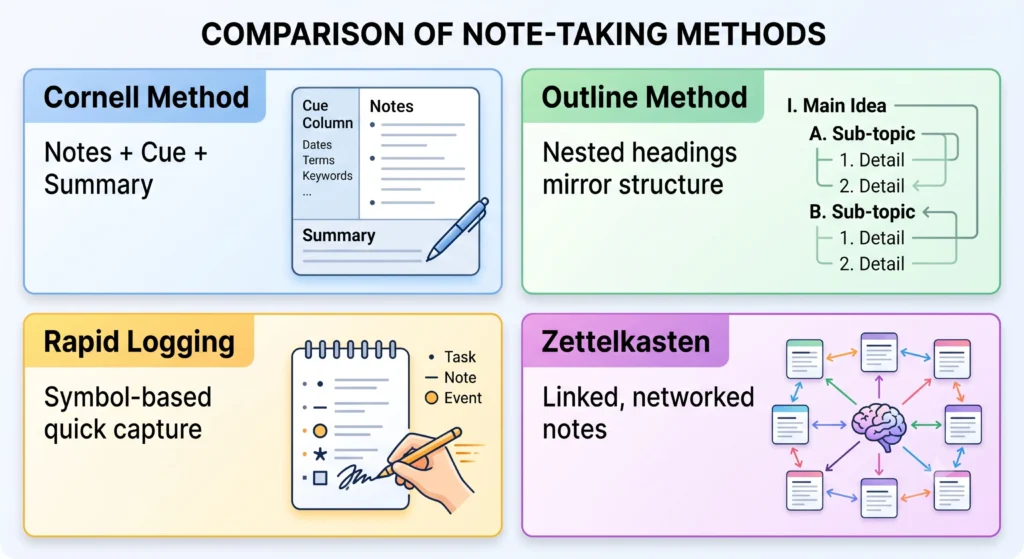
The Zettelkasten method takes a different approach entirely, focusing on writing atomic, self-contained notes and explicitly linking related notes to each other, building a network of interconnected ideas over time rather than a single linear document. This method is where digital note-taking has a genuine structural advantage over paper, since linking notes together and finding connections across hundreds of entries is something a plain notebook simply cannot support.
Best Practices for Taking Notes During Meetings
Meeting notes serve a fundamentally different purpose than lecture or research notes, and treating them the same way usually produces a long, unhelpful transcript nobody reads afterward. The goal in a meeting isn’t to capture everything that was said it’s to capture what was decided, who owns each resulting action, and by when. A meeting note that lists three clear action items with owners and deadlines is far more valuable than five paragraphs summarizing the discussion that led to them. It also helps to note open questions or unresolved points separately from decisions, so it’s immediately clear at a glance what still needs follow-up versus what’s already settled. Timestamping key moments, even roughly, makes it much easier to reference a specific part of a longer meeting later without having to reread the whole thing.
Best Practices for Taking Notes During Lectures or Classes
Lecture notes benefit from a different discipline: capturing concepts and their relationships rather than attempting to transcribe what the instructor says word for word, which as covered above is exactly the pattern the research associates with weaker retention. It helps to mirror the structure the instructor is actually using, since most lectures follow some kind of outline even if it isn’t stated explicitly, and matching that structure in your notes makes the material far easier to review later. Leaving deliberate gaps for points you didn’t fully catch, rather than stopping to ask or guessing, lets you keep pace with the lecture and fill in the blank afterward from a classmate, the textbook, or a recording. Perhaps most importantly, reviewing lecture notes within 24 hours dramatically improves retention compared to leaving them untouched until exam season this single habit, tied to how memory consolidation works, often matters more than any specific note-taking method you use.
Best Practices for Research and Reading Notes
Research notes carry one requirement that meeting and lecture notes generally don’t: careful source attribution. Every note taken from a source should clearly record where it came from, since a note without its source becomes far less useful and in academic contexts, potentially a citation problem the moment you can’t remember where an idea originated. It’s also worth actively paraphrasing rather than copying passages verbatim as you read, both for the same retention reasons covered earlier and to avoid inadvertently blurring the line between your own analysis and the source’s original wording later on. The most valuable research notes usually include your own reactions and questions alongside the source material itself a note that only restates what a source said is far less useful later than one that also captures why it mattered to your argument or what it made you think of. Where possible, connecting new notes to related notes you’ve already taken, in the spirit of the Zettelkasten method described earlier, turns a pile of disconnected reading notes into something closer to an organized body of research.
How to Organize Notes So You Can Actually Find Them Later
The single biggest reason digital notes become useless over time isn’t poor note-taking in the moment it’s poor organization afterward. A consistent, simple habit matters far more than an elaborate system you won’t maintain. Starting each note with a clear title and date makes browsing through old notes dramatically faster than scrolling through untitled blocks of text. Keeping a small number of broad categories, rather than dozens of overly specific ones, tends to hold up better over months of actual use, since an overly granular system usually breaks down the first time a note doesn’t cleanly fit one category. Periodically reviewing and archiving genuinely outdated notes rather than letting everything accumulate indefinitely in one place keeps your active notes manageable and prevents the search-and-scroll fatigue that eventually causes people to abandon a note-taking system altogether.
How to Use the InnovaiTools Online Notepad Effectively
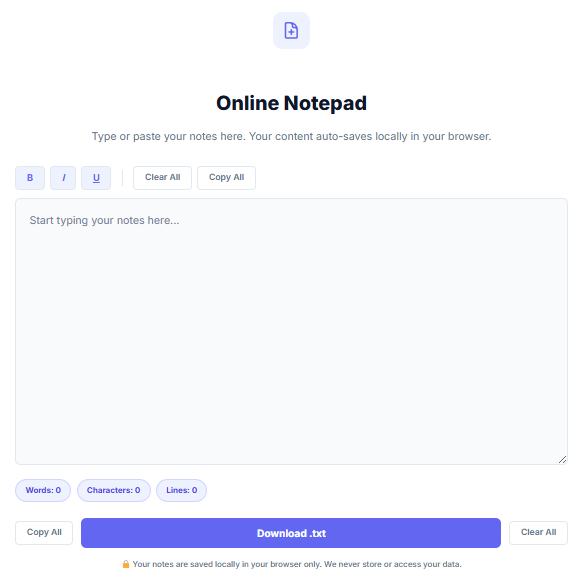
Our free Online Notepad is built for exactly this kind of fast, frictionless note capture.
- Open the Online Notepad on InnovaiTools.
- Start typing your content auto-saves in your browser every few seconds, so you never need to remember to save manually.
- Use the built-in formatting toolbar to bold key terms or headers, helping your notes stay scannable when you return to them later.
- Check the live word count at the bottom if you’re tracking the length of a draft or summary our Word & Character Counter offers a more detailed breakdown if you need sentence and paragraph counts as well.
- When you’re done, download your notes as a .txt file for permanent backup, since browser storage can be cleared and shouldn’t be your only copy of anything important.
Because everything runs locally in your browser, your notes are never sent to any server, making it a safe place to capture even early, unpolished thinking.
Common Note-Taking Mistakes That Waste Your Effort
- Mistake 1: Transcribing information verbatim instead of summarizing it in your own words, which as the research shows largely defeats the cognitive benefit of taking notes in the first place.
- Mistake 2: Never reviewing notes after taking them. Notes that are written once and never revisited provide only a fraction of the retention benefit compared to notes reviewed within a day or two.
- Mistake 3: Using inconsistent organization from one note-taking session to the next, which makes older notes progressively harder to locate and eventually causes people to abandon their system.
- Mistake 4: Relying solely on browser storage for important notes without ever downloading a backup, leaving valuable notes vulnerable to a cleared cache or browser reset.
Key Terms Related to Note-Taking
- Active Recall: A learning technique that involves testing yourself on material rather than passively re-reading it, often supported by well-organized notes used as self-quiz material.
- Cornell Method: A note-taking system dividing a page into a main notes area, a cue column for keywords and questions, and a summary section at the bottom.
- Zettelkasten: A note-taking method built around atomic, self-contained notes that are explicitly linked to related notes, forming a searchable network of ideas over time.
- Spaced Repetition: A learning technique that involves reviewing material at increasing intervals over time, which relies heavily on having notes organized well enough to revisit efficiently.
Frequently Asked Questions About Online Note-Taking
Q1: Are digital notes as effective as handwritten notes? Digital notes can be just as effective, provided you summarize and paraphrase information in your own words rather than transcribing it verbatim. The research showing handwriting outperforms typing is really about the passive nature of fast transcription, not about digital formats themselves.
Q2: What is the Cornell Note-Taking Method? It’s a structured system that divides a page into a main notes section, a narrower cue column for keywords and questions, and a summary section at the bottom, with the summary step often being the most valuable part of the method.
Q3: How often should I review my notes? Reviewing notes within 24 hours of taking them significantly improves retention compared to leaving them untouched, and periodic review afterward helps reinforce the material further through spaced repetition.
Q4: Should I take notes during a meeting or just listen? Take brief notes focused on decisions, action items, and owners rather than a full transcript of the discussion — this captures what actually matters without pulling your full attention away from the conversation.
Q5: What is the best way to organize digital notes? A simple, consistent system beats an elaborate one you won’t maintain clear titles, dates, and a small number of broad categories tend to hold up better over time than an overly granular structure.
Q6: Does typing notes verbatim hurt learning? Yes, research suggests that near-verbatim transcription is largely a passive process that skips the selective, generative thinking that makes note-taking valuable for retention, regardless of whether you’re typing or writing by hand.
Q7: How do I take good notes while reading a book or article? Always record the source alongside each note, paraphrase rather than copy text directly, and include your own reactions or questions alongside the source material rather than only restating what it said.
Q8: Is it safe to store important notes only in browser storage? No browser storage can be cleared by a cache reset or browser change. Always download important notes as a backup file rather than relying solely on auto-save.
Q9: What is the Zettelkasten method? It’s a note-taking system built around short, self-contained notes that are explicitly linked to related notes, creating a searchable network of interconnected ideas rather than one linear document.
Q10: Is the InnovaiTools Online Notepad free and private? Yes, completely free with no sign-up required. Your notes are saved only in your own browser’s local storage and are never sent to or stored on any server.
Final Thoughts
Good note-taking isn’t really about which app or notebook you use it’s about the habits surrounding it: summarizing rather than transcribing, reviewing within a day or two, and organizing consistently enough that your notes are still useful months later. Digital notes give you real practical advantages over paper, from instant search to automatic backup, as long as you avoid the one genuine pitfall the research points to: typing everything down passively instead of actively processing it as you write.
For fast, private note capture whenever you need it, use our free Online Notepad at InnovaiTools it auto-saves as you type, requires no sign-up, and lets you download a backup the moment you’re done.

Arid is a web developer and computer expert who specializes in building practical utility web applications. With a strong focus on technical problem-solving and user experience, he develops efficient online calculators and writing tools designed to help students, bloggers, and professionals streamline their daily tasks.