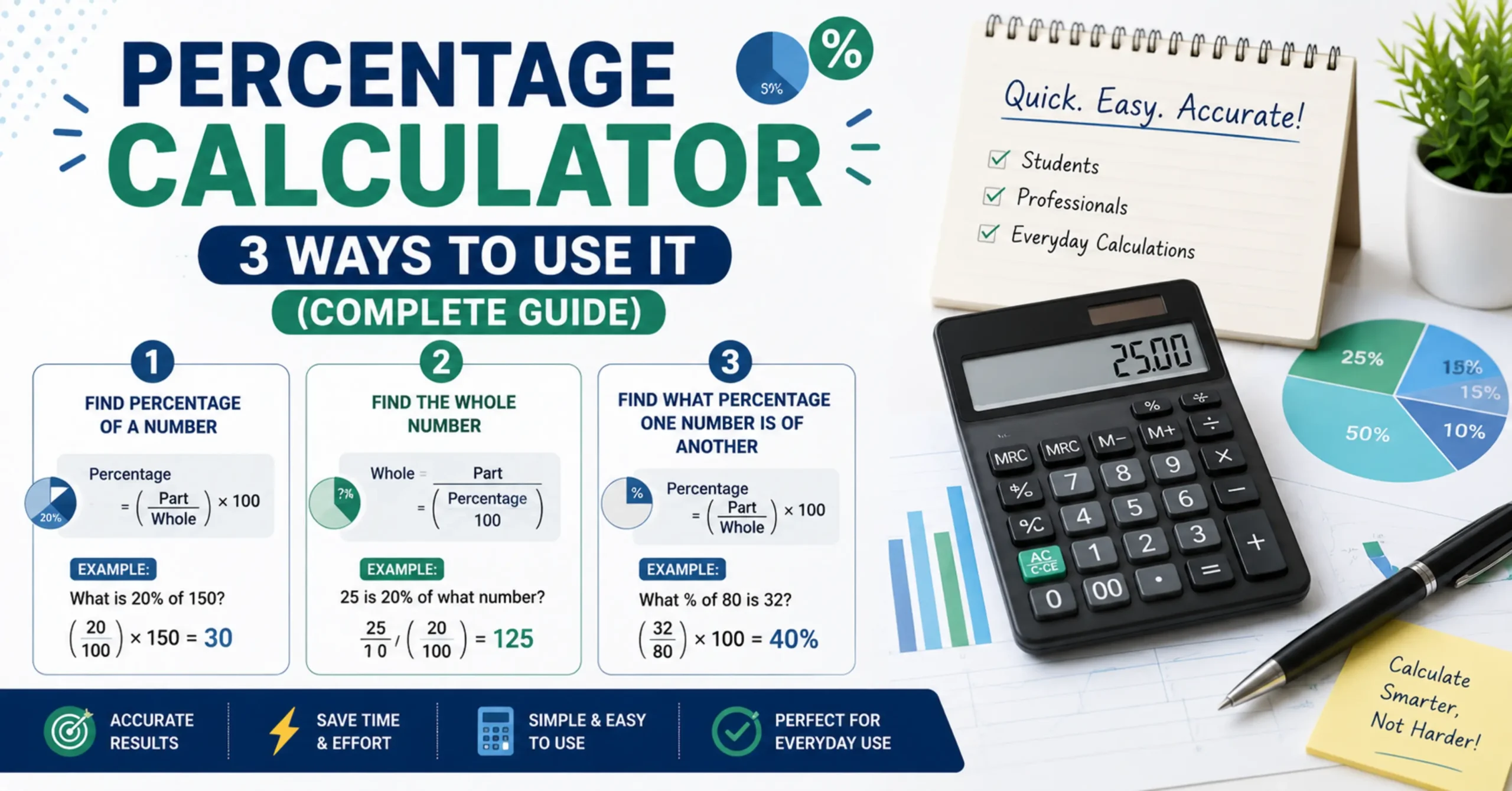
Percentage Calculator 3 Ways to Use It (Complete Guide)
Percentages are everywhere on price tags, exam report cards, salary slips, interest statements, and news headlines about economic growth. Yet despite how often we encounter them, most people only remember one narrow way to calculate a percentage, usually the version they learned in school for finding exam scores. In reality, percentage calculation covers at least three distinct types of problems, each solving a different real-world question.
Understanding all three modes not just one is what separates someone who can handle percentages confidently in any situation from someone who gets stuck the moment a percentage problem looks slightly unfamiliar. This guide walks through exactly what a percentage is, breaks down the three core calculation modes, shows you how to solve each one manually and in a spreadsheet, and clears up one of the most common percentage-related mix-ups in finance and media.
What is a Percentage?
A percentage is a way of expressing a number as a fraction of 100. The word itself comes from the Latin phrase “per centum,” meaning “by the hundred.” When we say something is “25%,” we mean 25 out of every 100 a standardized scale that makes it easy to compare quantities of very different sizes.
This standardization is exactly why percentages are so widely used. Comparing “340 out of 1,600” to “21 out of 88” is not intuitive at a glance, but converting both to percentages (21.25% and 23.86%) makes the comparison immediate and meaningful.
The Three Percentage Calculation Modes Explained
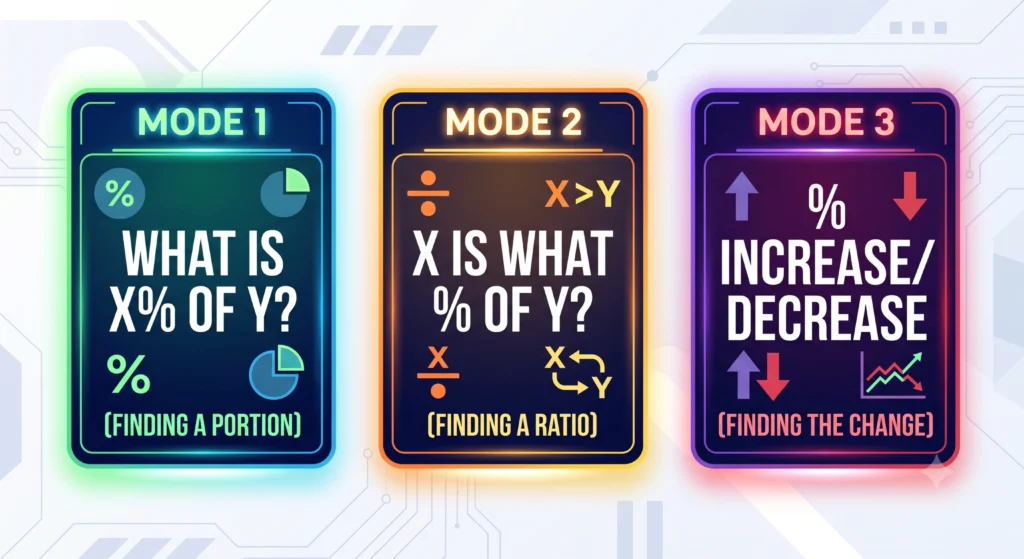
Nearly every percentage problem you will ever encounter falls into one of these three categories:
Mode 1 What is X% of Y? (Finding a Portion)
This mode answers: “If I take X percent of this total, what number do I get?” It is the most common mode used for discounts, tips, taxes, and commissions.
Mode 2 X is What Percent of Y? (Finding the Ratio)
This mode answers: “How does this smaller number relate to the total, expressed as a percentage?” It is the mode used for exam scores, survey results, and completion rates.
Mode 3 Percentage Increase or Decrease From X to Y (Finding the Change)
This mode answers: “By what percentage did this value grow or shrink?” It is the mode used for salary raises, business growth, price changes, and investment returns.
How to Calculate Percentage Manually
Mode 1 Formula and Example
- Formula: Result = (X ÷ 100) × Y
- Example: What is 18% of 3,200? Result = (18 ÷ 100) × 3,200 = 576
Mode 2 Formula and Example
- Formula: Result = (X ÷ Y) × 100
- Example: 340 is what percent of 1,600? Result = (340 ÷ 1,600) × 100 = 21.25%
Mode 3 Formula and Example
- Formula: Change = ((New Value − Old Value) ÷ Old Value) × 100
- Example: A salary increased from PKR 45,000 to PKR 52,000. What is the percentage increase? Change = ((52,000 − 45,000) ÷ 45,000) × 100 = (7,000 ÷ 45,000) × 100 = 15.56%
How to Calculate Percentage in Excel or Google Sheets
Spreadsheets make percentage calculations effortless once you understand a small but important quirk in how they handle percentage formatting.
Mode 1 in Excel Finding X% of Y
=B2*18% or equivalently =B2*(18/100) (Where B2 contains the base value, Y).
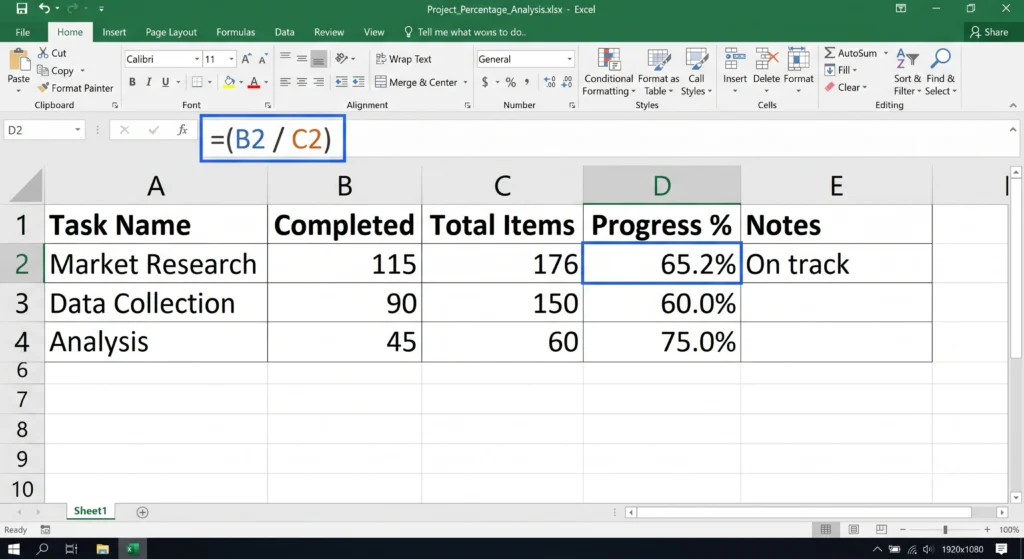
Mode 2 in Excel Finding What Percent X is of Y
=B2/C2 Then format the resulting cell as a percentage. Excel automatically multiplies the decimal result by 100 for display when percentage formatting is applied — so 0.2125 displays correctly as 21.25% without any extra multiplication in your formula.
Mode 3 in Excel Percentage Change
=(C2-B2)/B2 (Where B2 is the old value and C2 is the new value). Format the result as a percentage.
A Useful Tip for Copying Formulas
When copying a percentage formula down a column while keeping one reference cell fixed (such as a tax rate in a single cell), use an absolute reference with dollar signs, like $B$2, so that cell reference does not shift as you copy the formula to other rows.
How to Use the InnovaiTools Percentage Calculator
For instant results without building formulas, our free Percentage Calculator handles all three modes in one place.
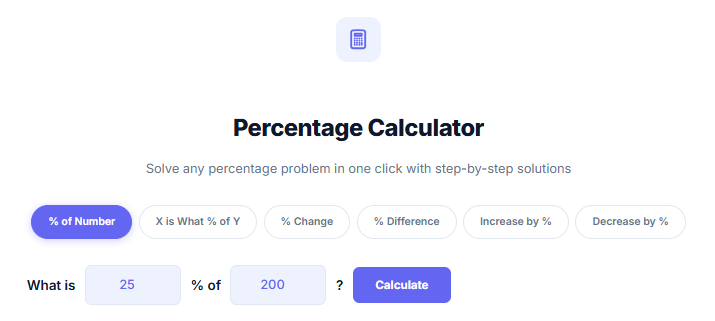
- Open the Percentage Calculator on InnovaiTools.
- Select the mode you need finding a percentage of a number, finding what percent one number is of another, or finding percentage change.
- Enter your values into the corresponding fields.
- Click Calculate to see your result instantly.
The calculator runs entirely in your browser, requires no sign-up, and works for any of the three calculation types covered in this guide.
Percentage vs Percentage Point A Common Confusion
This is one of the most frequently misunderstood distinctions in financial news and everyday communication, and understanding it properly puts you ahead of most casual percentage users.
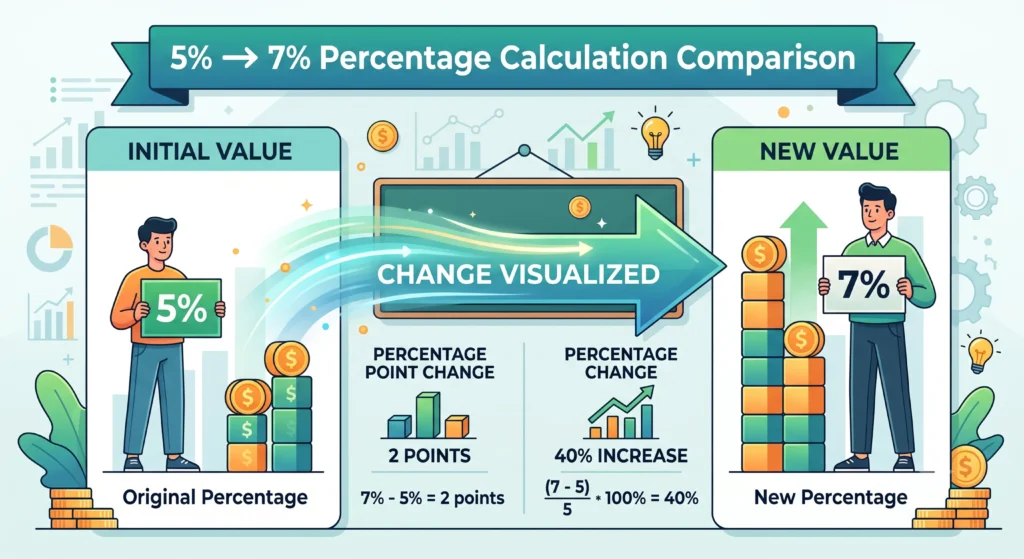
If an interest rate rises from 5% to 7%, that change can be described in two completely different and both technically correct ways:
- As a percentage point change: the rate rose by 2 percentage points (simply subtracting 5 from 7).
- As a percentage change: the rate rose by 40% (calculated as (7−5)/5 × 100).
Both statements describe the exact same change, but they sound very different, and mixing them up leads to real misunderstandings — especially in news headlines about interest rates, tax rates, or approval ratings. When you see a rate described as rising “by 2%” versus “by 2 percentage points,” pay close attention to which one is actually meant, as the practical difference can be substantial.
Real-World Applications Where Each Mode Is Used
Shopping and Everyday Spending (Mode 1)
Calculating a 20% discount, a 13% sales tax, or a 15% restaurant tip all rely on finding X% of a total amount the most commonly used percentage mode in daily life.
Academic Scores and Assessments (Mode 2)
Converting marks obtained into a percentage score is a classic Mode 2 calculation. Once you have your percentage, you can use our Grade Calculator to instantly convert that percentage into a letter grade.
Business, Finance, and Salary Changes (Mode 3)
Year-over-year revenue growth, salary increments, investment returns, and price inflation are all measured using percentage change. If you are evaluating a loan alongside financial planning, our EMI Loan Calculator can help you understand monthly payment obligations using similar percentage-based interest calculations.

Common Mistakes When Calculating Percentages
- Confusing percentage with percentage point: As explained above, describing a change from 5% to 7% as “a 2% increase” is technically incorrect; it is a 2 percentage point increase, or a 40% increase.
- Using the wrong base value: Percentage problems always calculate relative to a specific base (“100% of what?”). Using the wrong reference number is one of the most common sources of error.
- Forgetting to convert before multiplying: When calculating manually, forgetting to divide the percentage by 100 before multiplying leads to results that are 100 times too large.
- Rounding too early in multi-step problems: Rounding an intermediate result before completing a multi-step calculation compounds small errors into a noticeably inaccurate final answer.
Key Terms Related to Percentage Calculations
- Percentage: A number expressed as a fraction of 100, used to represent proportions in a standardized way.
- Percentage Point: A unit representing the simple arithmetic difference between two percentages, distinct from a percentage change.
- Base Value: The original or total quantity that a percentage is calculated relative to.
- Percentage Change: The relative increase or decrease between an old value and a new value, expressed as a percentage of the old value.
- Markup vs Margin: Two commonly confused business percentage terms. Markup is profit expressed as a percentage of cost price, while margin is profit expressed as a percentage of selling price the same dollar profit produces two different percentages depending on which base value is used.
Frequently Asked Questions About Percentage Calculations
Q1: How do I calculate a percentage of a number? Divide the percentage by 100, then multiply by the number. For example, 20% of 150 is (20 ÷ 100) × 150 = 30.
Q2: What is the difference between a percentage and a percentage point? A percentage point is the simple difference between two percentages (7% minus 5% equals 2 percentage points). A percentage change measures that same difference relative to the original value, which often produces a very different number.
Q3: How do I calculate percentage in Excel? Use
=B2/C2formatted as a percentage for finding what percent one number is of another, or=(New-Old)/Oldformatted as a percentage for percentage change calculations.Q4: How do I find what percentage one number is of another? Divide the smaller number by the total, then multiply by 100. For example, 45 out of 200 is (45 ÷ 200) × 100 = 22.5%.
Q5: How do I calculate a percentage increase? Subtract the old value from the new value, divide by the old value, then multiply by 100. This gives the percentage increase relative to the starting point.
Q6: What is the formula for percentage decrease? The formula is the same as percentage increase — the result will simply be negative, indicating a decrease rather than an increase.
Q7: How do I calculate my exam percentage from marks? Divide the marks you obtained by the total possible marks, then multiply by 100. For example, 68 out of 80 is (68 ÷ 80) × 100 = 85%.
Q8: What is the difference between markup and margin? Markup is calculated as a percentage of cost price, while margin is calculated as a percentage of selling price. The same profit amount produces a higher markup percentage than margin percentage.
Q9: Can I calculate the original value if I only know a percentage and the result? Yes. This is called reverse percentage. If 15% of a number equals 45, the original number is found by dividing: 45 ÷ (15 ÷ 100) = 300.
Q10: Is this percentage calculator accurate for financial calculations? Yes, our calculator uses standard, precise percentage formulas suitable for everyday financial, academic, and business use. For complex financial modeling, always verify with a qualified professional.
Final Thoughts
Percentages might seem like a simple concept on the surface, but as this guide shows, they actually cover three distinct types of problems, each with its own formula and real-world application. Whether you are calculating a discount while shopping, converting exam marks into a grade, or analyzing salary growth, knowing which mode applies and how to avoid the percentage-versus-percentage-point trap puts you well ahead of the average calculator user.
For instant, accurate results across all three modes, use our free Percentage Calculator at InnovaiTools anytime you need a quick answer without reaching for a formula.

Arid is a web developer and computer expert who specializes in building practical utility web applications. With a strong focus on technical problem-solving and user experience, he develops efficient online calculators and writing tools designed to help students, bloggers, and professionals streamline their daily tasks.